How to Use Your PepUp Propane Tank Monitor App: A Step-by-Step Guide
The PepUp wireless tank monitor reads your propane level and sends it straight to a smartphone app, so you can check your tank level without having to read the tank gauge.
This guide walks you through each screen of the app connected to your Nee-Vo wireless tank monitor. You will learn how to read your tank level, set low-propane alerts, track your usage, and request a delivery in a few taps.
How Does a Wireless Propane Tank Monitor Work?
A wireless propane tank monitor is a small device that attaches to the gauge on your propane tank. PepUp uses Nee-Vo monitors made by Otodata. The monitor reads your fuel level and sends it over a cellular network. It does not need your home Wi-Fi or an extra gateway to work.
PepUp sees your tank level too. If you use Automatic Delivery, the monitor helps PepUp schedule your refill before your tank runs low. That is part of what backs the PepUp “No Run Out” Guarantee.
Still deciding how you want to keep track of your propane? Read 3 ways to remember when your home needs a propane refill.
How to Set Up and Use the PepUp Tank Monitor App
Step 1: Download, Log In, and Set Up the Nee-Vo Mobile App
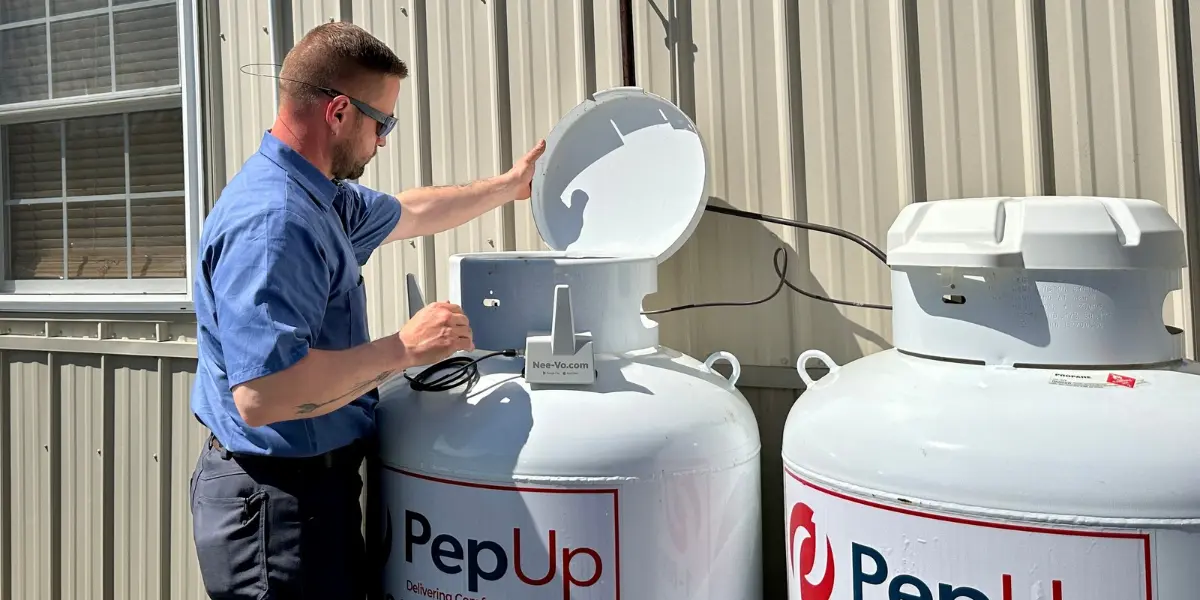
A PepUp technician installs the monitor on your tank and activates it. Your technician will walk you through how it works and answer your questions.
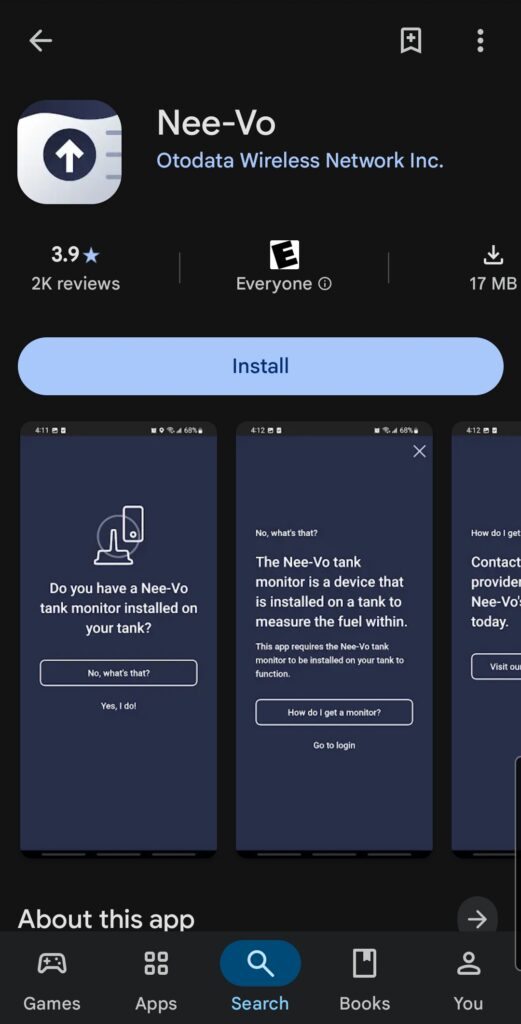
Once the monitor is active, you’ll receive an email from Otodata (the wireless monitor manufacturer) with an activation code and step-by-step instructions on how to download and set up the Nee-Vo app on your phone.
Nee-Vo app download link for Apple:
Nee-Vo app download link for Google:
Step 2: Find Your Tank(s) on the My Tanks Screen
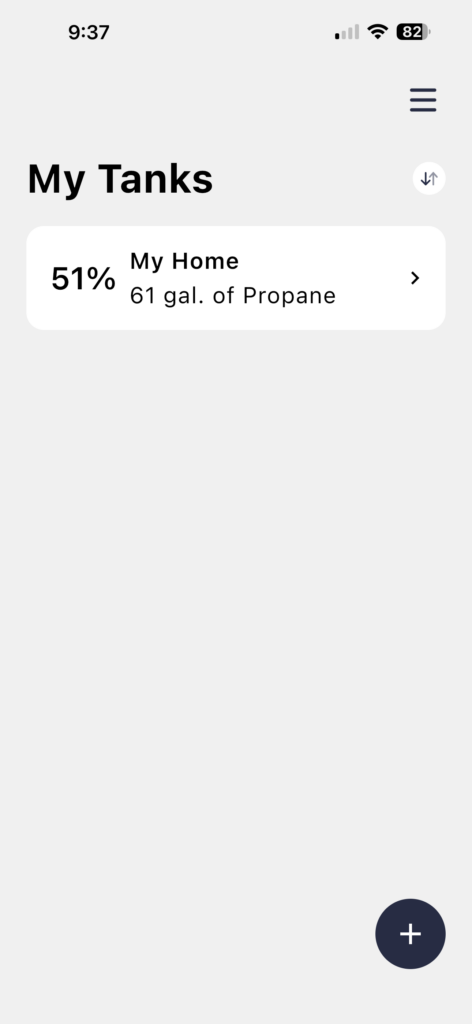
The My Tanks screen is your home base. Each tank shows its level as a percentage and the number of gallons left. Tap a tank to open a dashboard showing data for just that tank.
Have propane at more than one property? If you have multiple tank monitors, you’ll need to use the activation information for each monitor to connect them to your app. They’ll come in separate emails after installation and activation.
Tap the plus button to add another tank using that tank’s activation code, and every tank will appear in one list.
Step 3: Read Your Tank Level at a Glance
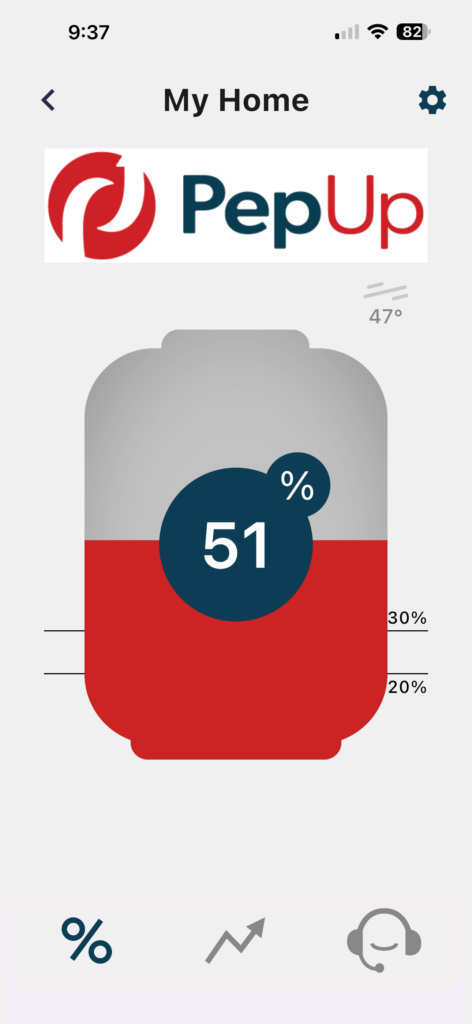
The tank screen shows a picture of your tank with your current level in the center. Two lines mark your alert levels, so you can see how close you are to needing a refill.
The menu at the bottom has three tabs:
- Percent icon: Shows your current tank level.
- Graph icon: Shows your usage history, so you can see how fast you burn through propane.
- Headset icon: Connects you with PepUp to ask a question or request a refill.
Step 4: Set Your Low-Level Alerts
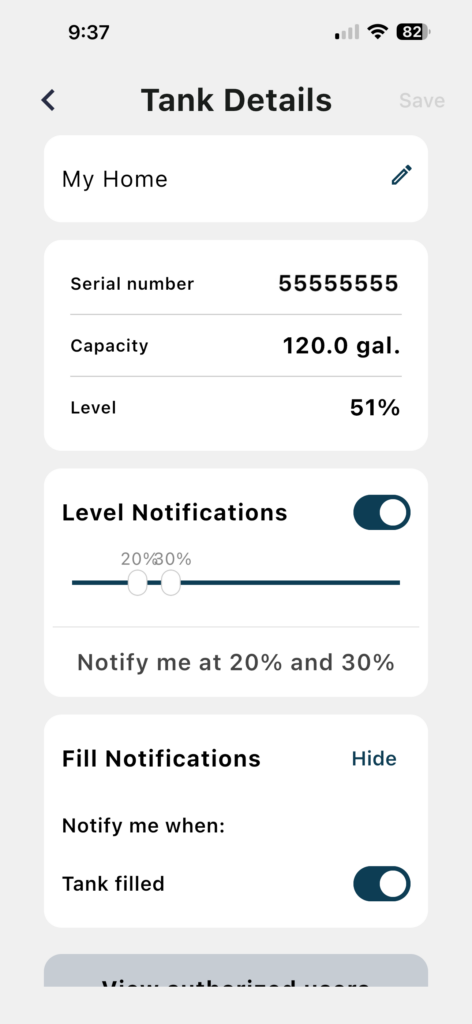
Tap the gear icon on the tank screen to open Tank Details. Turn on Level Notifications and slide the markers to the levels you want. PepUp recommends alerts at 30% and 20%. The 30% alert gives you plenty of time to plan a delivery. The 20% alert is your reminder to call if you have not scheduled one yet.
While you are on this screen, turn on Fill Notifications. The app will let you know when PepUp has filled your tank. You can also tap the pencil icon to give your tank a nickname, like “Home” or “Beach House.”
Step 5: Share Access with Your Household
Want your spouse or a family member to see the tank level too? Scroll to the bottom of Tank Details and tap View Authorized Users. The app lets you share your tank data with up to three people.
Using Your Tank Monitor App During Cold Weather
Your furnace works harder when Delmarva temperatures drop, and your tank level can fall faster than usual. Check the usage graph in the app before a cold snap. If your level is close to 30%, request a delivery a few days early. Roads and driveways are much easier to reach before snow and ice arrive.
Wondering how cold weather affects your tank itself? Read the blog post about propane tanks and freezing temperatures.
If you run out of propane, call PepUp right away at 800-638-7802. PepUp offers 24/7 emergency propane delivery across Delaware, Maryland, and Virginia. Read our propane safety tips to learn what to do if your tank runs out or you smell gas.
About PepUp
PepUp is a propane and fuel delivery company on the Delmarva Peninsula. PepUp has served Delaware, Maryland, and Virginia since 1963. PepUp is a Tri Gas Family Company, alongside Comfort Plus Services, Breeding Roll Off, and M&L Truck Service. Our team delivers propane, fuel oil, kerosene, gasoline and diesel fuels, and biodiesel blends to homes and businesses across the region.
Frequently Asked Questions About the Nee-Vo Tank Monitor App
PepUp customers use the Nee-Vo app from Otodata to request deliveries and manage their tank level. It’s available on Google Play for Android devices, or in the Apple App Store for Apple devices. It’s free to download and use.
A PepUp tank monitor does not need wi-fi. The Nee-Vo monitor sends tank readings over a cellular network, so it works even if your tank sits far from the house.
PepUp recommends setting propane tank alerts at 30% and 20%. The 30% alert gives you time to schedule a delivery. The 20% alert reminds you to call PepUp before your tank gets too low.
All PepUp customers can get a wireless tank monitor, whether you sign up for Automatic Delivery or have a Will Call account. A PepUp Energy Specialist can help you determine the initial cost for your monitor and installation. Call 800-638-7802 to get started.
Up to three people can share access to your tank level in the app. Open Tank Details and tap View Authorized Users to share access with your household.
PepUp customers can request a propane delivery from the Nee-Vo app or the PepUp Mobile app.
Stay Ahead of Winter with PepUp
Your tank monitor app puts your propane level in your pocket all year long. Pair it with Automatic Delivery and the PepUp “No Run Out” Guarantee for even more peace of mind. Questions about your monitor or the app? Contact PepUp or call 800-638-7802. We are happy to help.

Meet PepUp Contributor and Delivery Driver, Ben Fulton
Say hello to Ben Fulton. Ben is a PepUp propane driver who has been with us for 23 years. He has been in multiple gospel quartets over the years, including a couple that included other PepUp employees. He even has a few records out!